Hotkeys & settings
The lookup reference — every shortcut and setting in one place. New here? Read Your first session first.
Hotkeys
Solve
Solve current transcript or queued screenshots⌥⏎
Capture screenshot to queue⌥S
Privacy controls
Hide / show the control bar⌥H
Panic quit⌥Esc
Move bar
⌘⇧+↑↓←→
Workspace
Toggle transcript panel⌥[
Toggle Q&A panel⌥]
Previous question⌥P
Next question⌥N
Settings
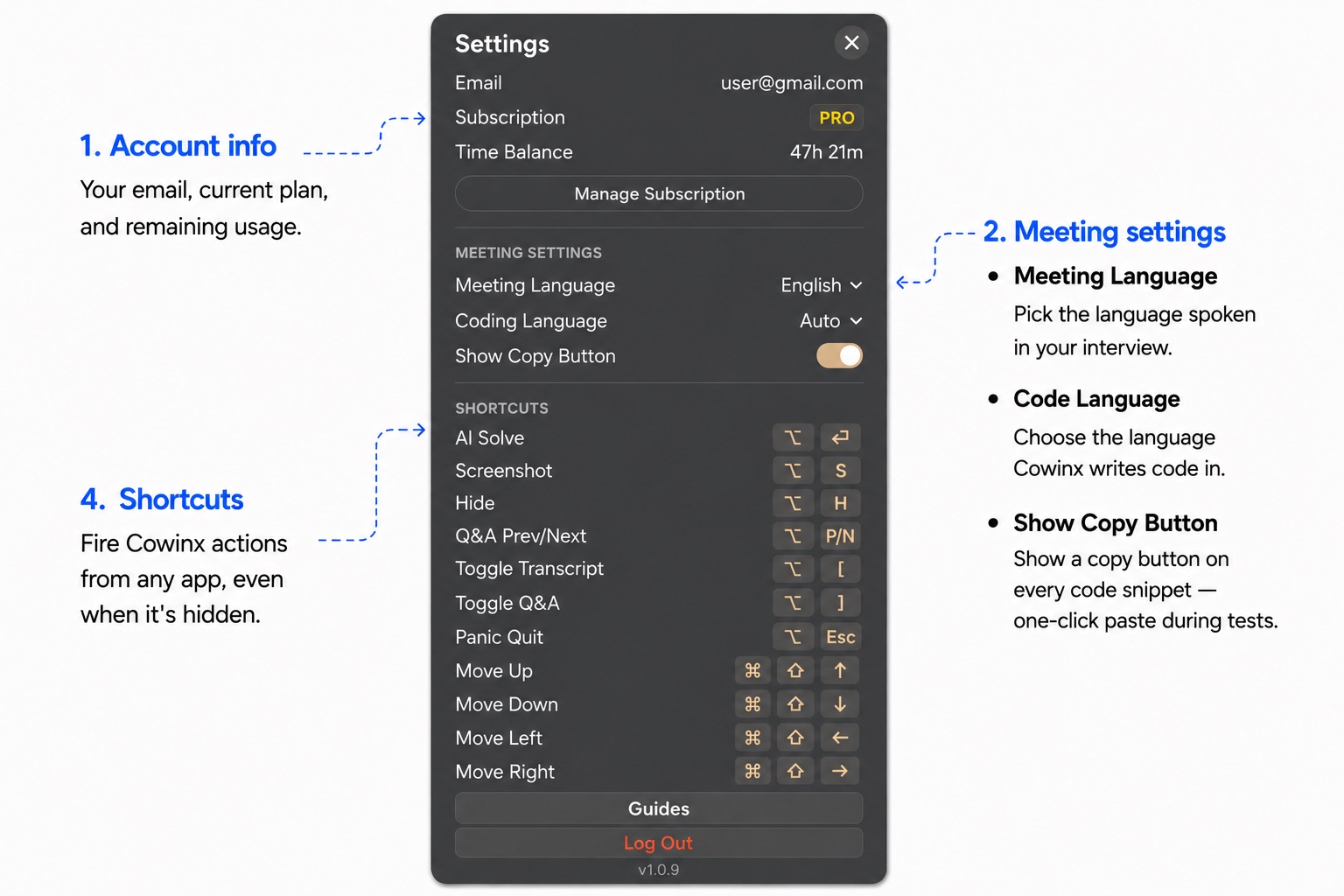
Account — email, plan, and remaining minutes. Get a Pass (or Add more timewhen a pass is still active) opens checkout — one-time, never a subscription; new time stacks onto whatever's left. See Billing & your plan.
Meeting — Meeting Language, Translate To, and Coding Language. How each behaves is covered in Translation & language.
FAQ & getting help
What counts toward my time balance?
Only active session time. If you Pause, paused minutes don't consume your balance. Hitting Done ends and flushes the session. Screenshot solving without a session uses no time. See Billing & your plan for the full picture.
Is my audio stored?
No. Audio is streamed to the transcription provider for the live session only and is not retained by Cowinx after processing.
Will other meeting participants hear Cowinx?
No — Cowinx never plays audio. Q&A notes stream to your panel as text only.
My mic / transcript isn't working — what should I check?
Confirm Microphone, Screen Recording, and Accessibility permissions are all enabled in System Settings → Privacy & Security, then restart Cowinx. Full steps in the Troubleshooting guide.
Still stuck? Try the Troubleshooting guide, then email support@cowinx.com with your macOS version, Cowinx version (Settings footer), and what you tried.